Skip to main content
Workgang Positions
Step Up Projects
How to setup and use workgang positions.
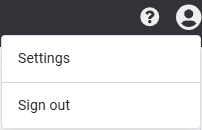
- From the home page, enter the 'Settings' menu from the drop-down window in the profile button.
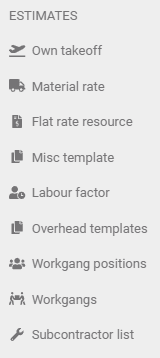
- On the taskbar on the left, select 'Workgang positions' under the 'Estimates' heading.

- Fill out the position details, then click 'Save'.

- Repeat this step till satisfied with positions (eg: Builder / Laborer / Apprentice or by name)


Comments
0 comments
Article is closed for comments.